
Best AI Tools for Turning Plain Text Into Social Media video Captions for Free
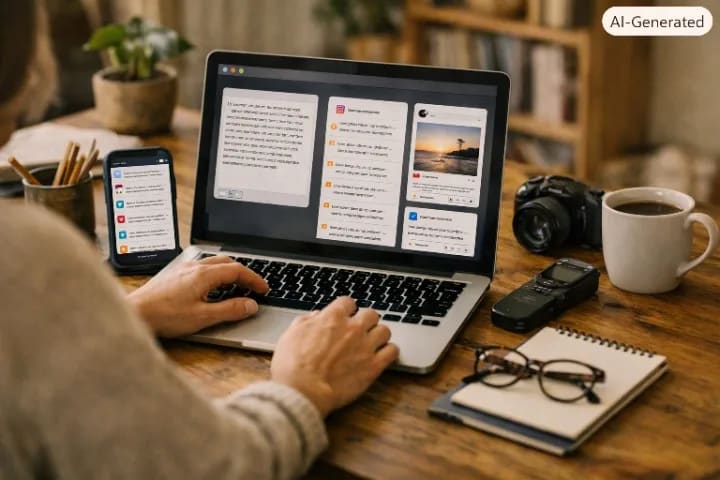
I run a small side hustle selling handmade soap, and for the longest time, captions were the part of my posting routine I dreaded the most. I would take a good photo, then stare at the caption box for ten minutes typing and deleting the same three sentences. What changed things was realizing I did not need to write captions from scratch anymore, I just needed to describe what the post was about in plain language and let an AI tool turn that description into something worth posting. This article covers the free AI tools that actually do this well, based on months of using them for my own posts and for a couple of clients.
What These Tools Actually Do
You give the tool a rough description, something like new batch of shea butter soap, focus on natural ingredients, playful tone, and it hands you back two or three ready to use captions, often with hashtag suggestions attached. The value is not that it writes better than you could, it is that it removes the blank page problem and gives you something to edit instead of something to invent. That difference matters more than it sounds, because the actual barrier to posting consistently is rarely a lack of ideas, it is the small daily friction of turning an idea into finished words, and that friction is exactly what these tools remove.
Best Free AI Tools for Social Media Captions
1. ChatGPT, Star Rating: 4.5 out of 5
ChatGPT remains the most flexible free option because it is not limited to one platform's style. You describe your post, name the platform, Instagram, TikTok, LinkedIn or X, tell it the tone you want, and it gives you several caption options in one go. I use it most for Instagram captions when I want something with a bit of personality rather than a generic product description.
• Pros, completely free to start, works for every platform, easy to ask for hashtag suggestions
• Cons, no automatic platform formatting unless you ask directly, no scheduling or brand memory between sessions
The trick I use is giving it three or four of my previous best performing captions first, then asking it to match that style for the new post. Without that step, captions tend to sound a bit generic and interchangeable with anyone else's.
2. Canva Magic Write, Star Rating: 4 out of 5
If you are already designing your post inside Canva, Magic Write saves you from switching apps entirely. You get the caption generated right next to the design you are working on, which keeps your visual and your text feeling like they belong together.
• Pros, built directly into design workflow, free tier is generous, good for visual first businesses
• Cons, caption quality is decent but not as sharp or varied as ChatGPT, limited tone control compared to dedicated writing tools
3. Copy.ai, Star Rating: 4 out of 5
Copy.ai has a genuinely usable free plan and templates built specifically for social captions across Instagram, Facebook, LinkedIn and X. Tone controls are simple, friendly, professional, playful or bold, and it gives multiple variations per click so you are not stuck with a single option.
• Pros, easy interface, free plan covers basic needs, bulk generation saves time
• Cons, limited brand customization on the free tier, can feel generic without manual editing afterward
4. Hootsuite AI Caption Generator, Star Rating: 3.5 out of 5
Hootsuite's free caption tool sits inside their broader platform and pulls from a database of posts that have historically performed well. It is decent for quick captions, though the free version runs on an older base model, which shows in slightly less nuanced tone control compared to ChatGPT.
• Pros, includes hashtag and emoji suggestions automatically, adjusts length for different platforms
• Cons, free version quality is a step behind newer tools, best features are locked behind paid scheduling plans
A Real Example From My Own Posts
For a Ramadan season printing gift set, I typed into ChatGPT, gift set for Ramadan, three bars, rose and oud scent, warm and generous tone, mention it ships within Freetown. It gave me back a caption that actually referenced gifting during the season naturally, something I would have taken fifteen minutes to word properly on my own. I edited two words to match my usual voice and posted it as is. That post outperformed my average engagement by a noticeable margin, not because the AI was magic, but because I actually posted consistently instead of skipping the day out of caption fatigue.
A Mistake to Avoid
Early on, I copied a generated caption straight from Copy.ai without reading it twice, and it referenced a discount percentage I had not actually offered. The tool had pulled a generic promotional phrase from its training patterns and I did not catch it before posting. Always read the full caption before publishing, especially anything involving prices, discounts, or claims about your product, since AI tools sometimes fill gaps with plausible sounding details that are simply wrong for your specific business.
Free Versus Paid, What You Actually Lose
The free tiers of these tools cover captions just fine for someone posting a handful of times a week. What you lose without paying is scheduling, brand voice memory across sessions, and bulk content calendars. If you are a solo creator or a small business owner posting three or four times weekly, the free tiers are genuinely enough. Paid plans start making sense once you are managing multiple accounts or producing content daily for clients.
Tips for Small Businesses Across Africa
• Feed the AI local context directly, mention your city, your currency, or a local event, since the tool will not know this unless you tell it
• Keep a small file of your best performing past captions and paste a few in as examples before asking for new ones, this keeps your brand voice consistent
• Always double check any pricing, discount, or delivery claim the AI includes, since it sometimes invents plausible but incorrect details
• Use free tools first before paying for anything, most small business posting schedules do not need the paid features at all
Matching Tone to Platform
One thing that took me a while to figure out is that the same product post needs a different caption depending on where it is going. A LinkedIn caption about my soap business talking about ingredient sourcing and small business growth reads fine there, but the same wording on TikTok feels stiff and out of place. TikTok and Instagram Reels captions do better short, punchy, and a little playful, while Facebook audiences in my experience respond better to slightly longer captions that read like a real person talking, not a slogan. When I prompt ChatGPT now, I always specify the platform and describe the kind of audience reading it, busy mothers scrolling Facebook in the evening reads very differently from a Gen Z audience scrolling TikTok on a lunch break, and the AI adjusts noticeably once you give it that context.
Where to Check Current Features
These tools update their free tier limits regularly, so what was true a few months ago might have changed. Before relying on a specific feature, it helps to check the tool's own site directly. Canva keeps its current Magic Write details listed at canva.com, and a quick look there before you build a workflow around it can save you a surprise later.
Frequently Asked Questions
Which free AI tool is best for writing Instagram captions specifically?
ChatGPT tends to give the most natural sounding Instagram captions, especially once you feed it a few of your previous posts as style examples first.
Can these tools write captions in Pidgin or other local languages?
ChatGPT handles Pidgin and several local languages reasonably well if you specify the language directly in your prompt, though quality varies more than with standard English.
Do I need to pay for hashtag suggestions too?
No, most free tiers including ChatGPT, Copy.ai and Hootsuite's free caption tool include basic hashtag suggestions without any payment required.
Is it safe to post AI generated captions without editing them?
It is safer to always read through the caption first, especially checking any specific claims about pricing, discounts, or delivery details, since AI tools sometimes fill gaps with incorrect assumptions.
What is the fastest tool for someone who just wants one caption quickly?
Canva Magic Write is fastest if you are already designing the post inside Canva, since you get the caption without switching to another app entirely.



Community Discussion
Loading comments...